
In Shifter, the staticized content of a WordPress site is called an “Artifact.”
Reference: How to Staticize and Publish a WordPress Site
Each artifact can be downloaded to your local environment as an archive file. The downloaded file contains static content such as HTML, CSS, JavaScript, and images, and can be saved as a backup or used when uploading the site to another environment.
Example: Publishing a Static WordPress Site to Amazon S3 Using CloudFront
- Artifacts are retained for up to 10 generations on the Shifter dashboard.
- Artifact downloads are available with Tier 1 or higher.
Steps to Download an Artifact
1. Go to the Shifter dashboard to access your site’s management screen, and verify that your created artifacts are displayed in the “Deployments” section.
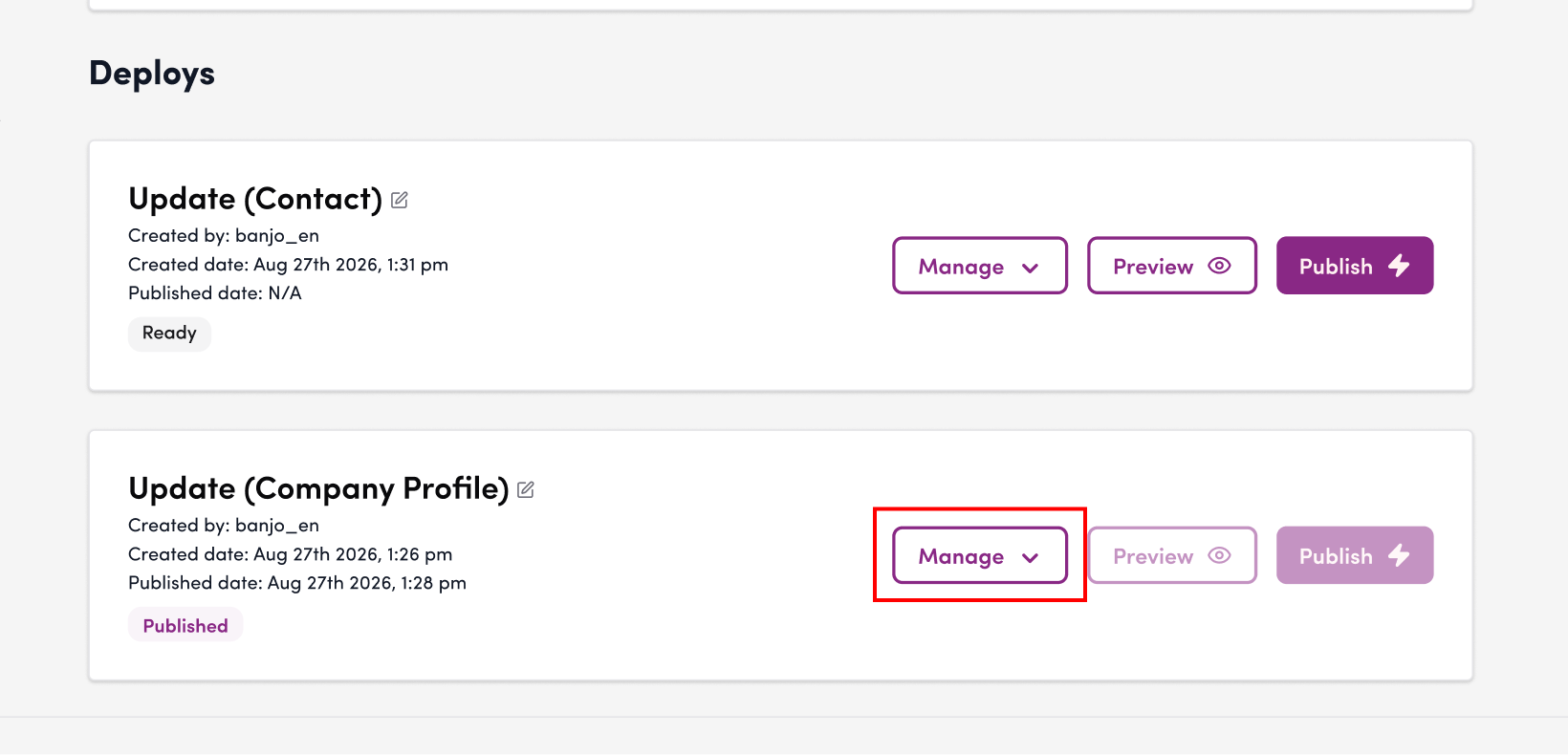
2. Select the artifact you want to download, and click “Download” from the “Manage” drop-down menu.
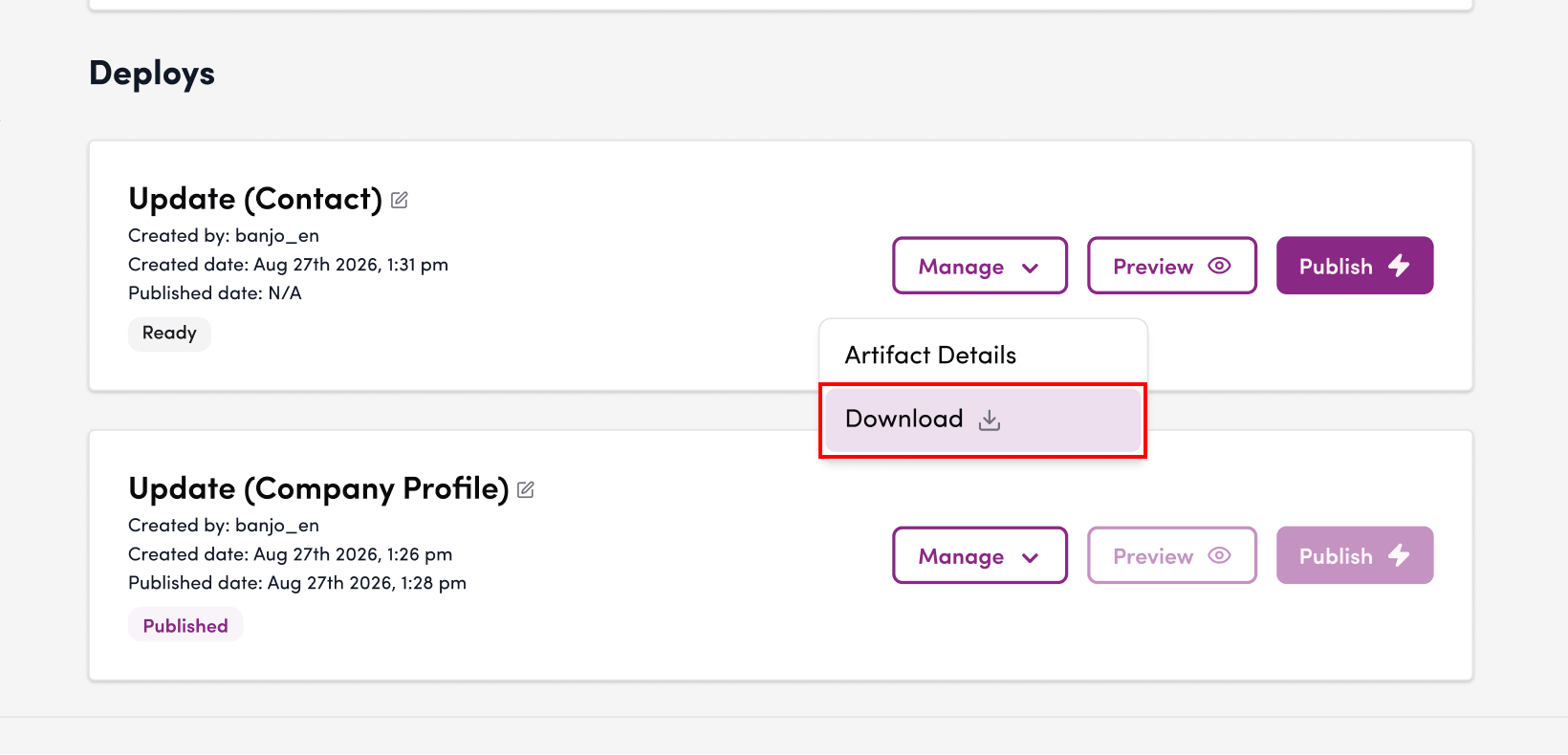
3. It will be downloaded to your local environment as an archive file (tar.gz).
4. Open the downloaded archive file and verify that it contains the artifact files.
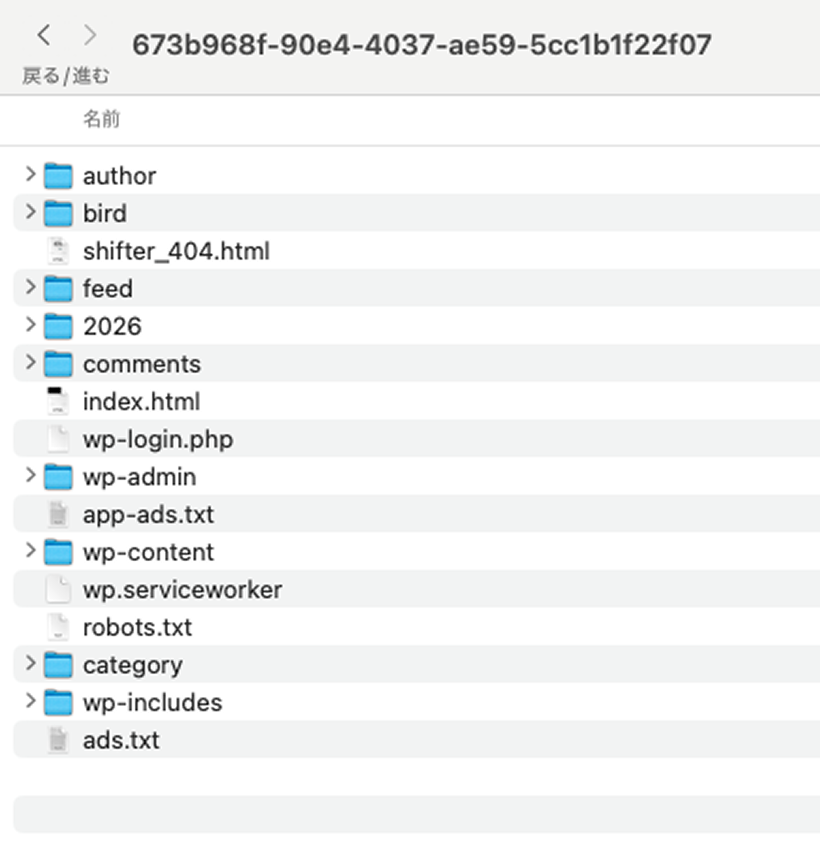
This concludes the instructions on how to download a staticized site (artifact).