
Google Domains DNS does not support ALIAS or ANAME records pointing to an apex domain (also known as a naked domain), but it does support redirecting from an apex domain to a subdomain. Let’s set this up.
In this example, we’ll use the following records as a sample.
- Domain:
example.com - Subdomain:
www.example.com - Shifter URL:
abc123.on.getshifter.io - CDN Raw Hostname:
def456.cloudfront.net
Setup Instructions
- Log in to the Google Domains control panel.
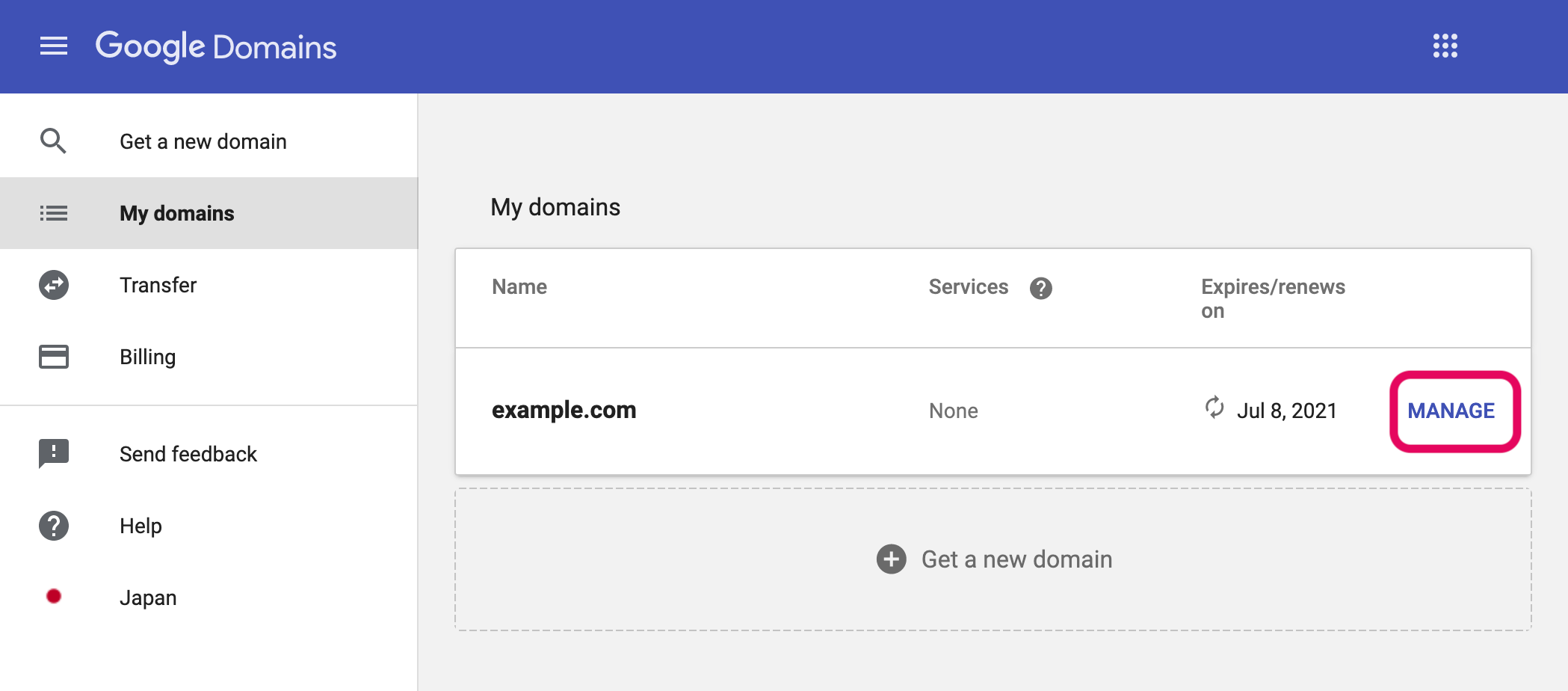
- Go to [My domains].
- Click the [Manage] button for the domain.
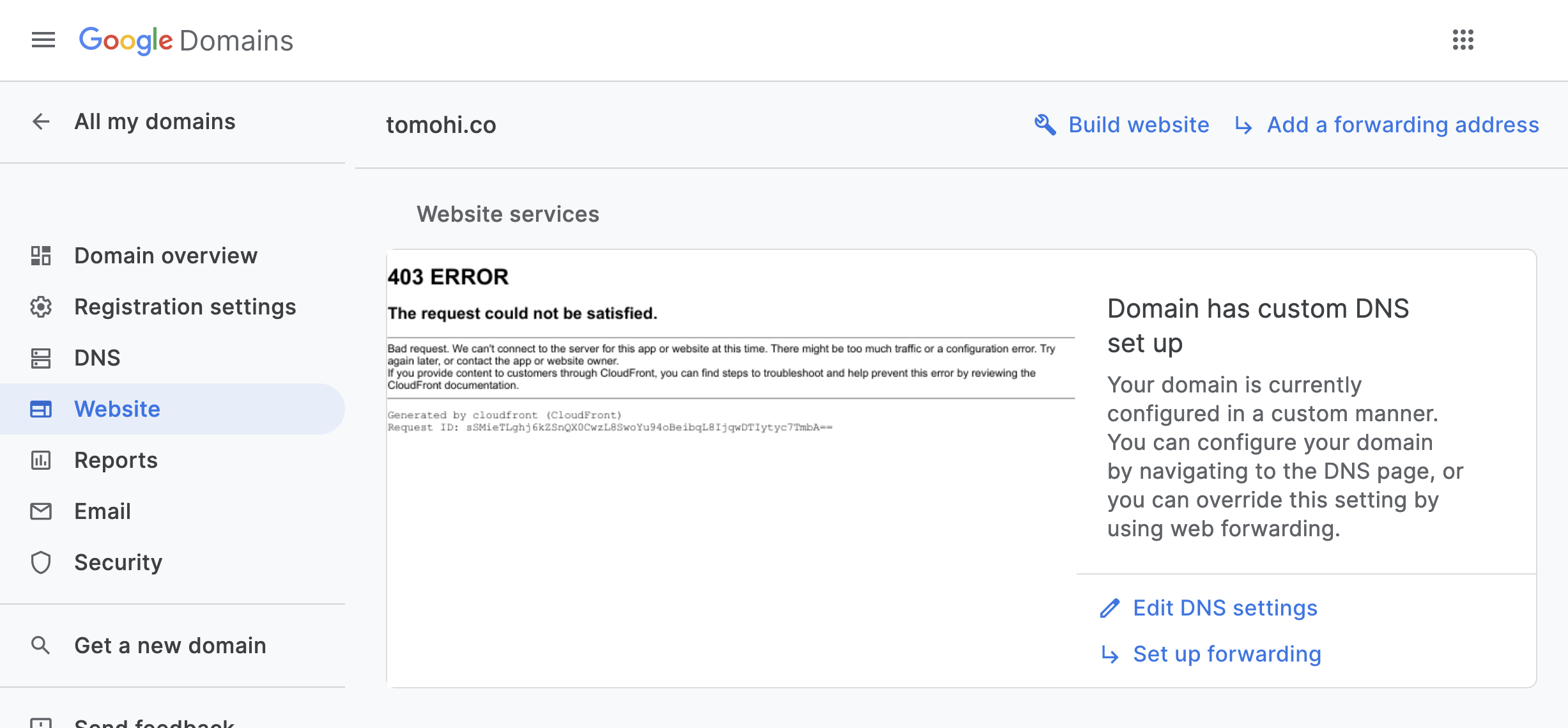
- Go to the [Website] menu.
- Click [Set up forwarding].
- Configure the settings as follows:
A. Enter the naked domain name in the “Forward from” field. Example:example.com
B. Enter the URL of the domain name with “www.” Example:https://www.example.com
C. Click the [Forward] button to save your changes.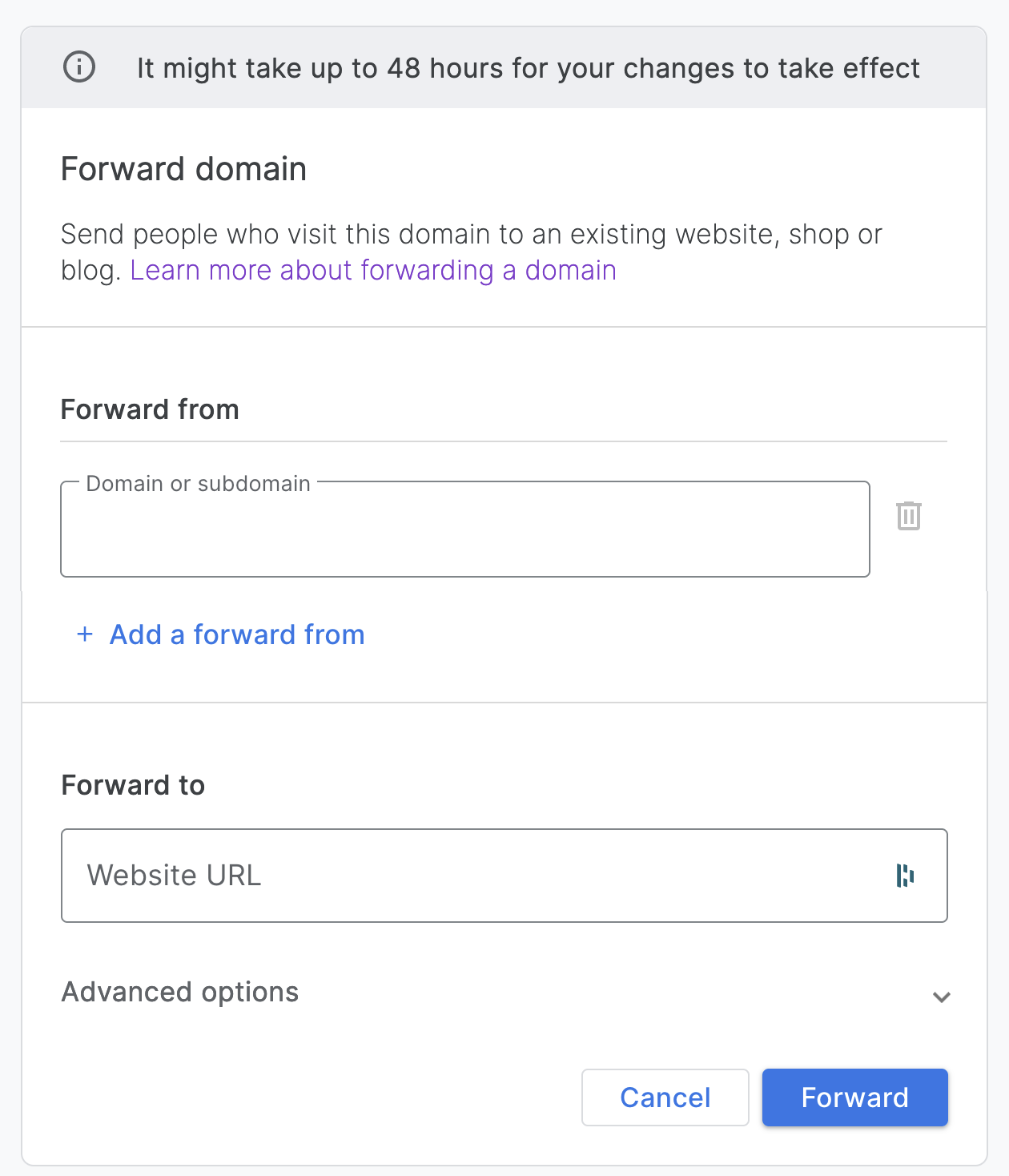
- The domain forwarding has been added.
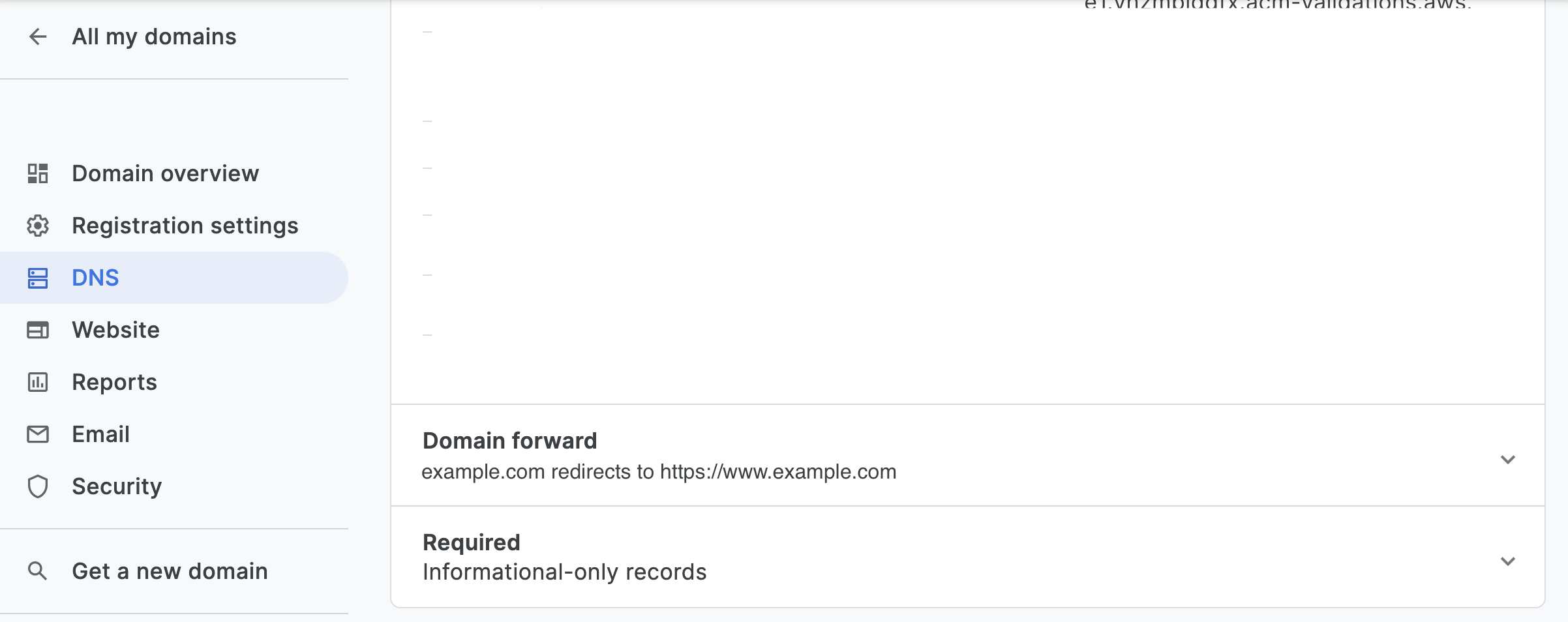
That’s it. Access the naked domain in a web browser to verify that the domain is being forwarded correctly.
Below are sample commands showing the URL and the resulting response.
curl --head http://example.com
HTTP/1.1 301 Moved Permanently
Location: http://www.example.com
Date: Wed, 19 Jun 2019 09:51:10 GMT
Content-Type: text/html; charset=UTF-8
Server: ghs
Content-Length: 217
X-XSS-Protection: 0
X-Frame-Options: SAMEORIGIN