
It has been discovered that GeneratePress may conflict with Redis caching. By default, Redis is enabled on all Shifter sites to improve the usability of the admin panel. If you encounter a 400 error while using GeneratePress, you can temporarily disable it by following the steps below.
When Do 400 Errors Occur?
The most common scenario is when importing demo content. When browsing the theme library using GeneratePress Premium, you can select a theme to import. This sets up your site with demo layouts, content, pages, posts, and more.
How do I disable Redis?
- Go to your WordPress dashboard.
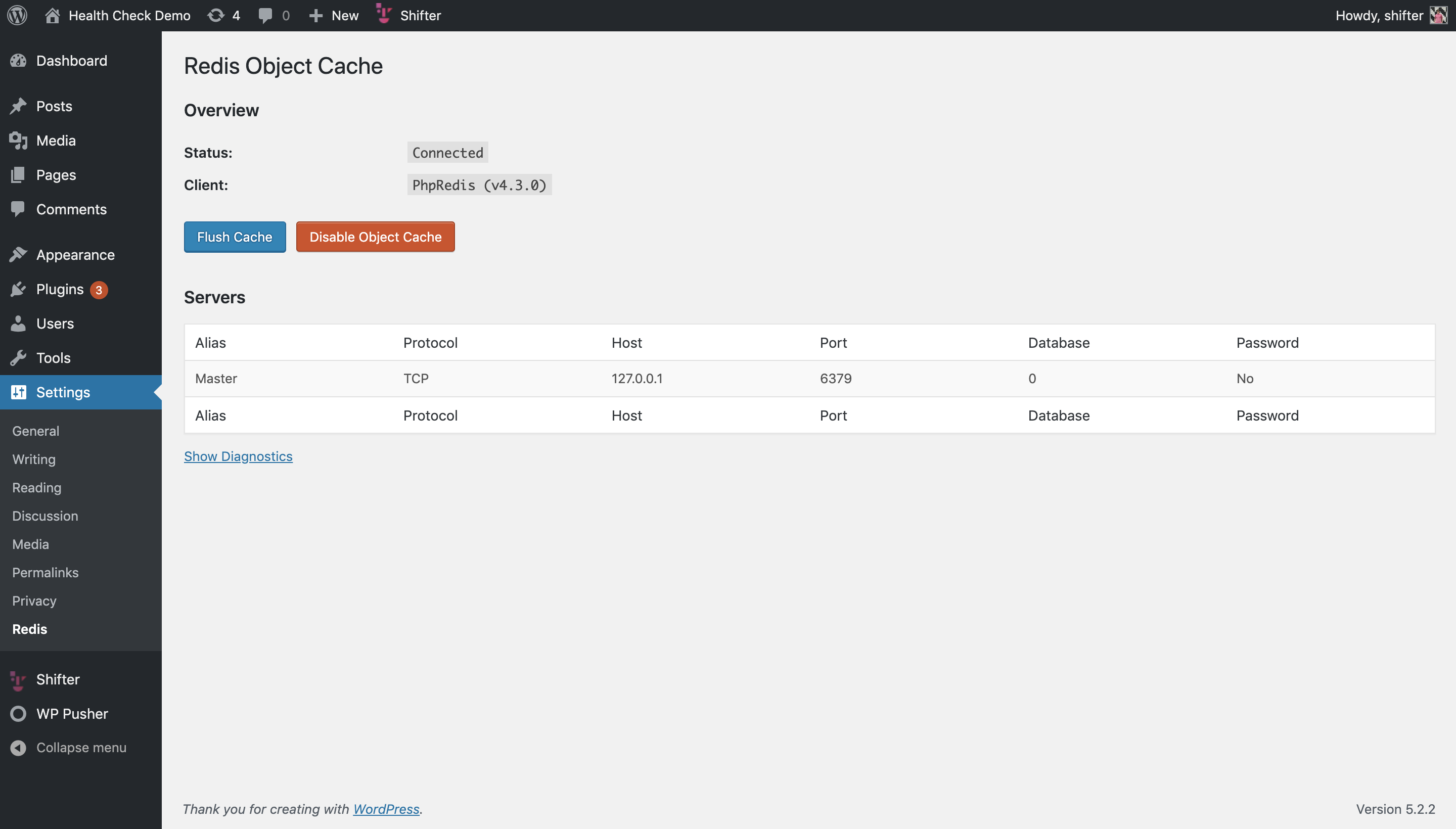
- You should see Redis listed under the “Settings” menu.
- Navigate to that page and click “Disable.”
Do I need to re-enable Redis?
No. Redis will be enabled the next time you start the site. It’s important to keep Redis enabled unless you’re using it as a workaround for this issue. You should only disable it when importing demo content from GeneratePress.
Why should you keep it enabled?
Because it improves performance! Redis is used to cache database queries. This speeds up page loading for administrators and site editors. It also speeds up site crawling when creating static versions. Overall, we recommend keeping it enabled unless you need to temporarily disable it.