
Important Notes
You must register a valid credit card before applying a coupon code.
1. Log in to the Shifter dashboard.
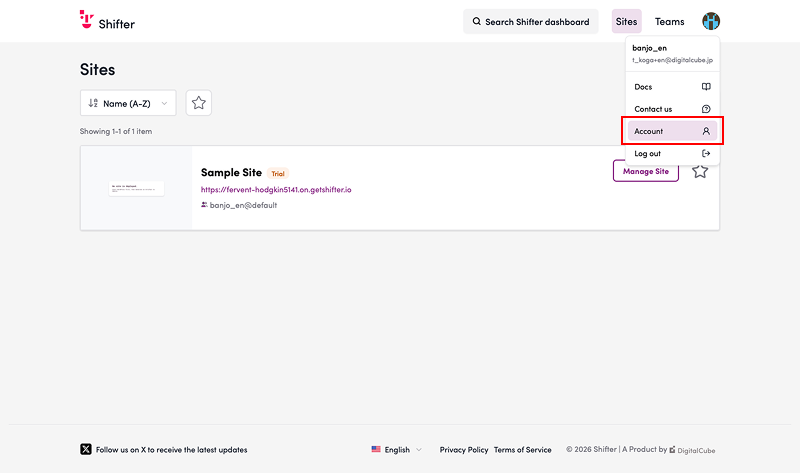
2. Click the account icon in the upper-right corner of the page and go to “Account.”
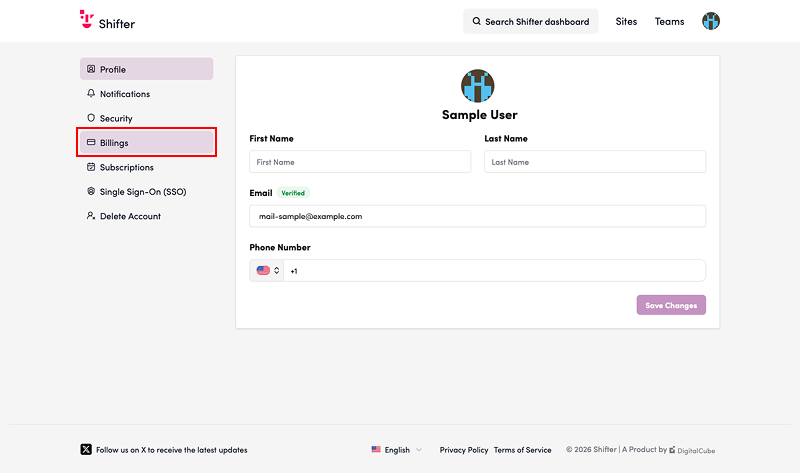
3. Click the “Billing” menu in the left sidebar.
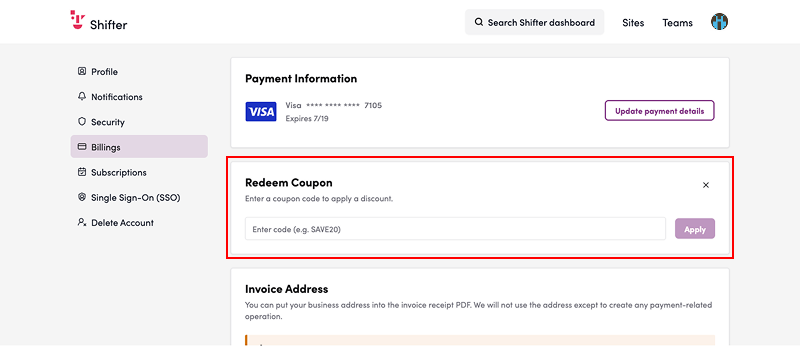
4. Enter the coupon code in the field provided and click the “Apply” button.
That’s it!