
Requirements
For TOTP to work properly, you first need to install an authenticator app on your mobile device. Here are some recommended apps.
Authenticator apps
- Authy
- Google Authenticator
- SmartKey
- Duo Mobile
- or any other app that supports TOTP
Enabling TOTP on Shifter
- Log in to the Shifter dashboard ( https://go.getshifter.io/).
- Go to “Account.”
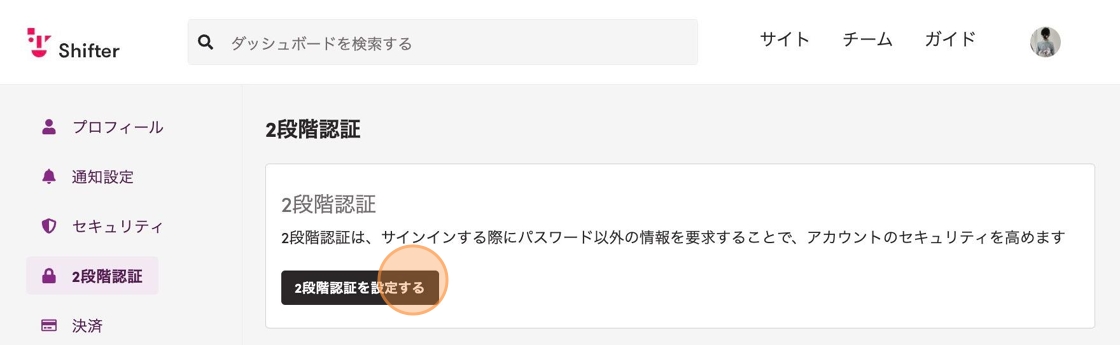
- Scroll down and click “Set up two-factor authentication.”
- Click “Set up authenticator app.”
- Scan the displayed QR code with your authenticator app, enter the generated code, and click “Enable.”

- To test your TOTP setup, log out of the Shifter dashboard and log in again. Each time you log in, after you submit your username and password, your authenticator app generates a unique code. Enter the code generated by your authenticator app to complete the login.

That’s it!