
Follow the steps below to launch WordPress and access the dashboard.
-
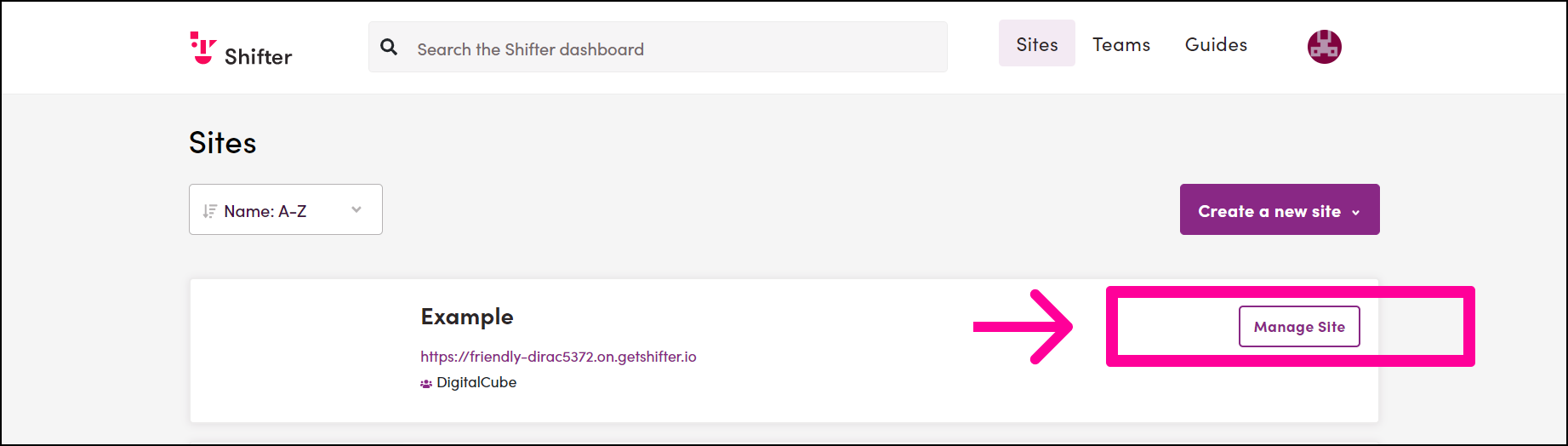
Go to [Site Management]
-
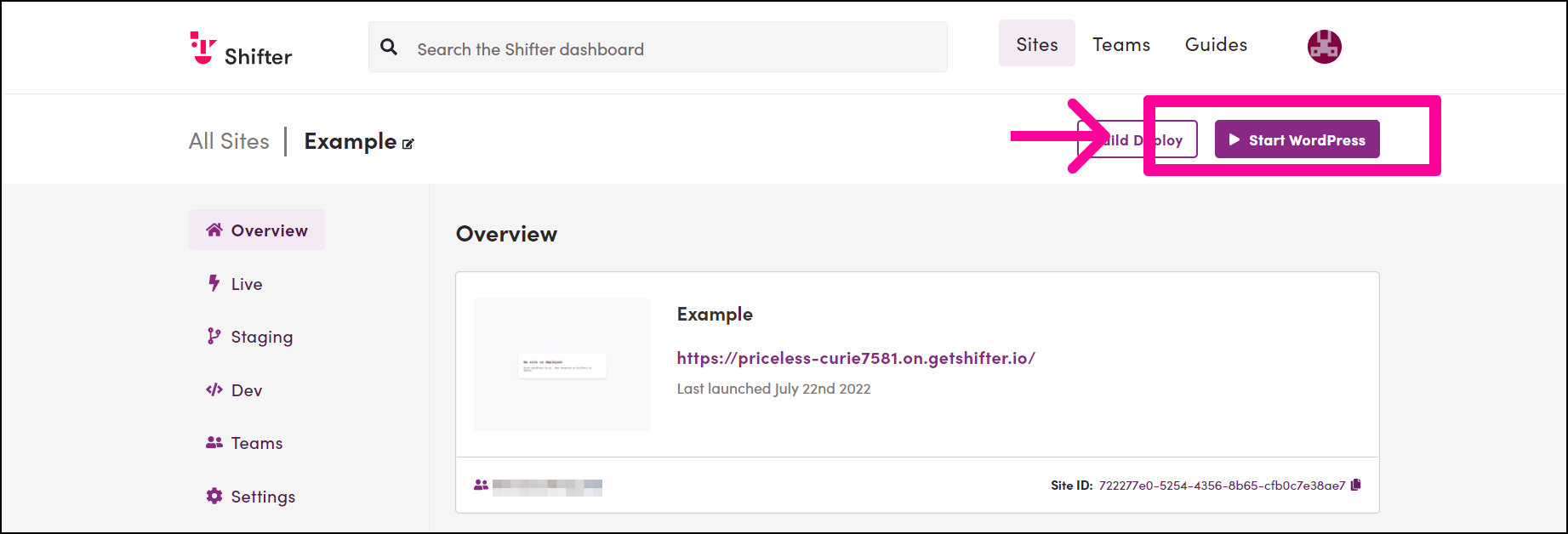
Click the [Launch WordPress] icon
-
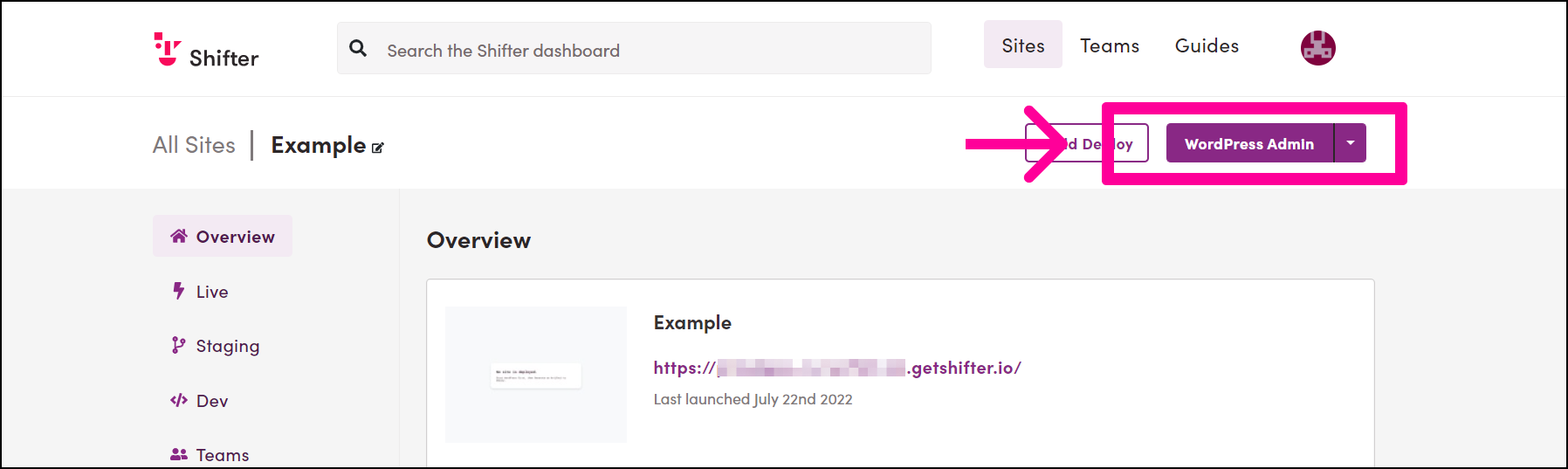
Click the [WordPress Management] button to access the WordPress dashboard
-
The WordPress dashboard will open in a new tab or window.
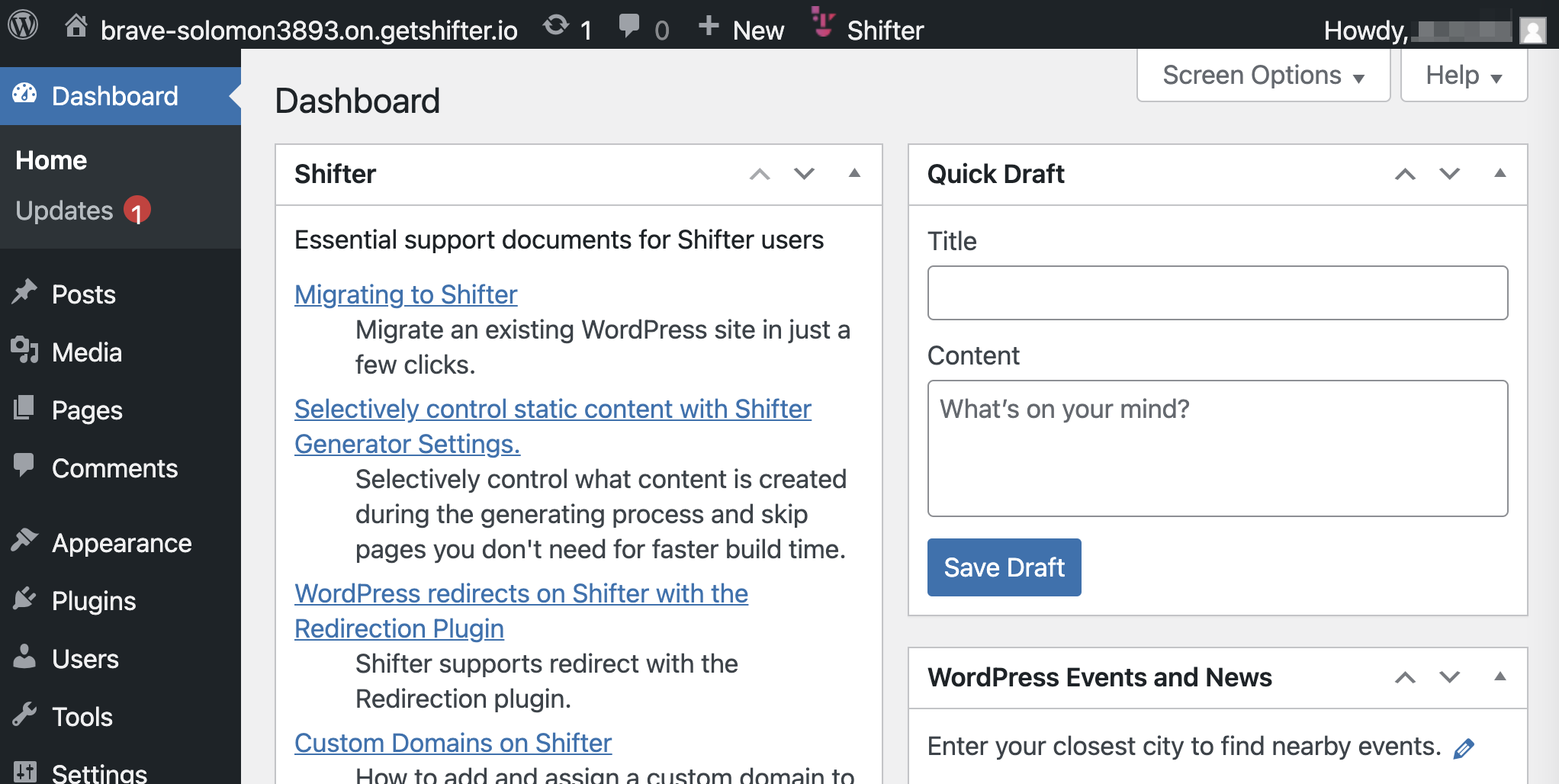
You can now create new posts, edit posts, and install or update plugins and themes. Once you’re done, create a new artifact to publish. For instructions on how to do this, refer to the following support document:
- Creating and Publishing a New Artifact
- How to Manually Publish an Artifact to a Live Site