Accessing Directories and Sizes to check storage usage
1. Log in to the Shifter dashboard
2. Navigate to the site you want to check the storage and start it
3. Go to WordPress dashboard
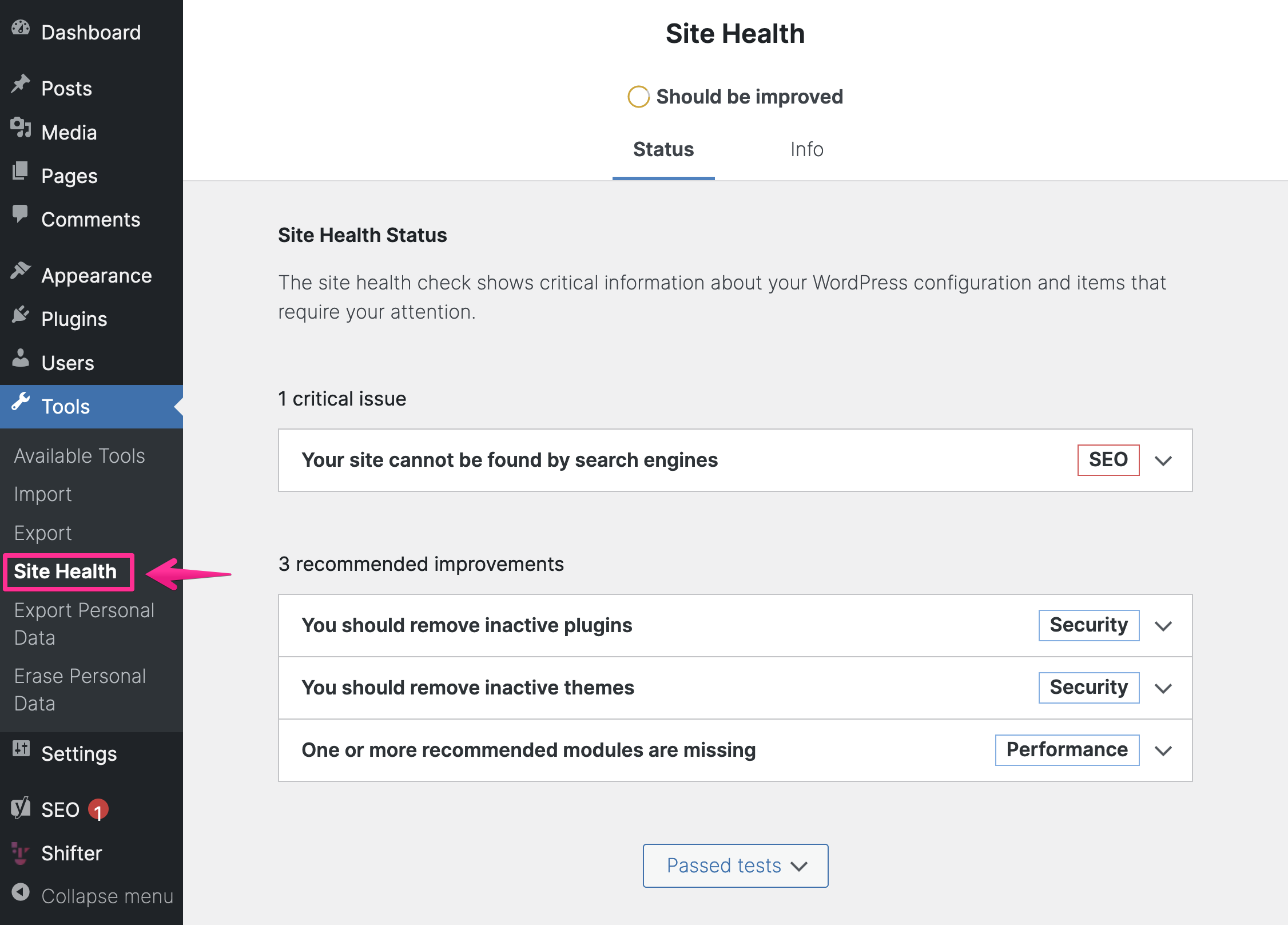
4. Click [Site Health] under [Tool] menu
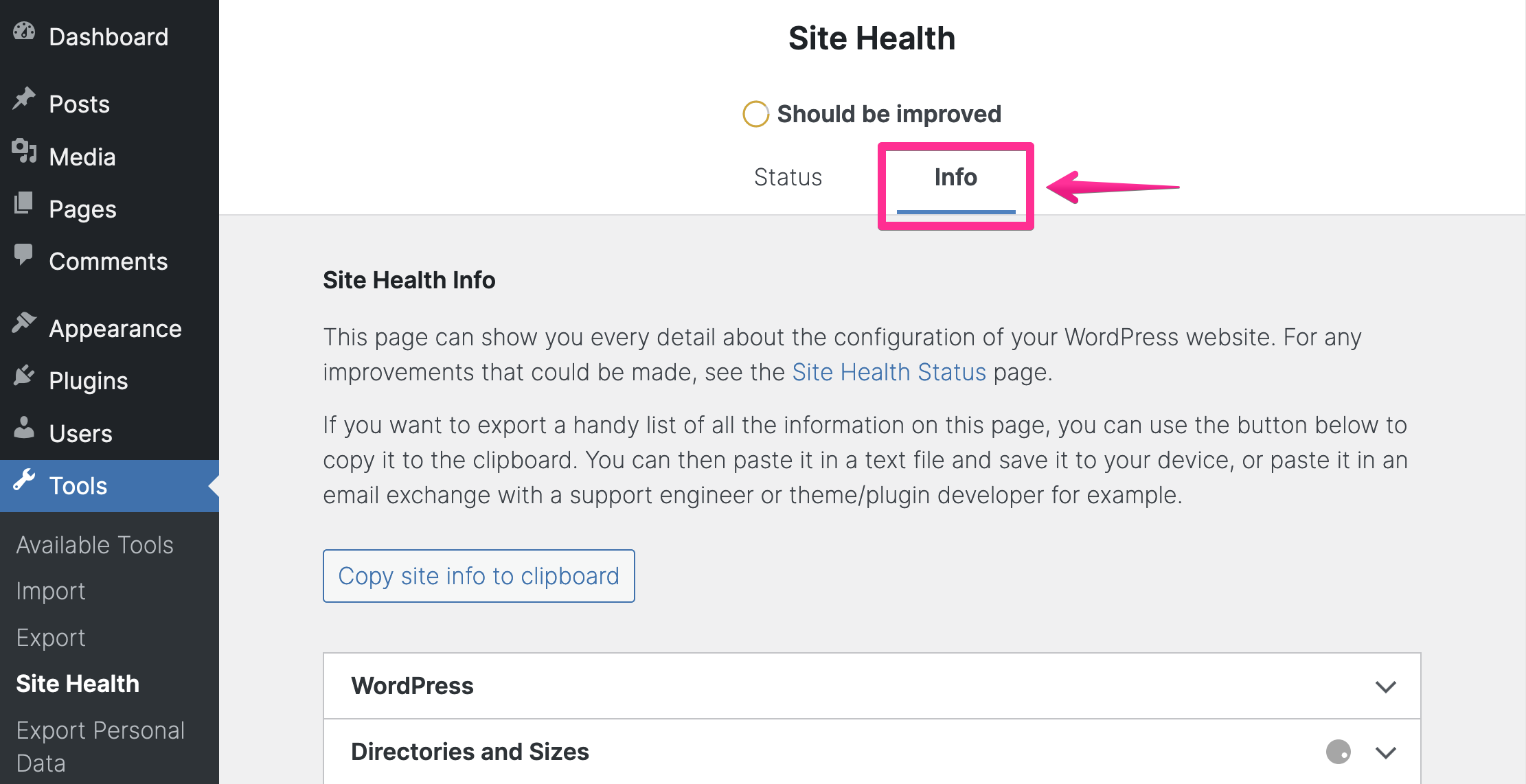
5. Click the [Info] tab
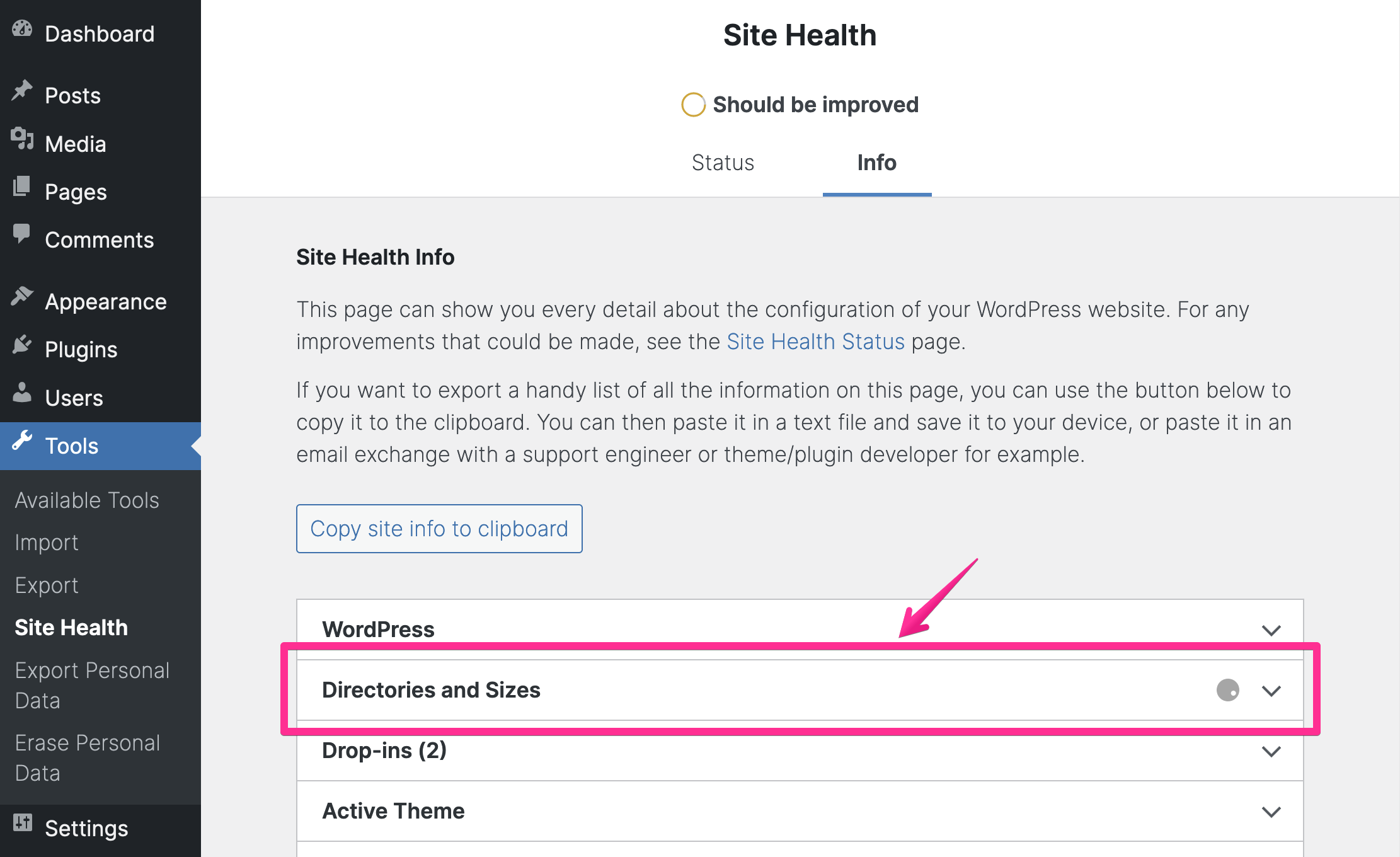
6. Click [Directories and Sizes] menu to check the details
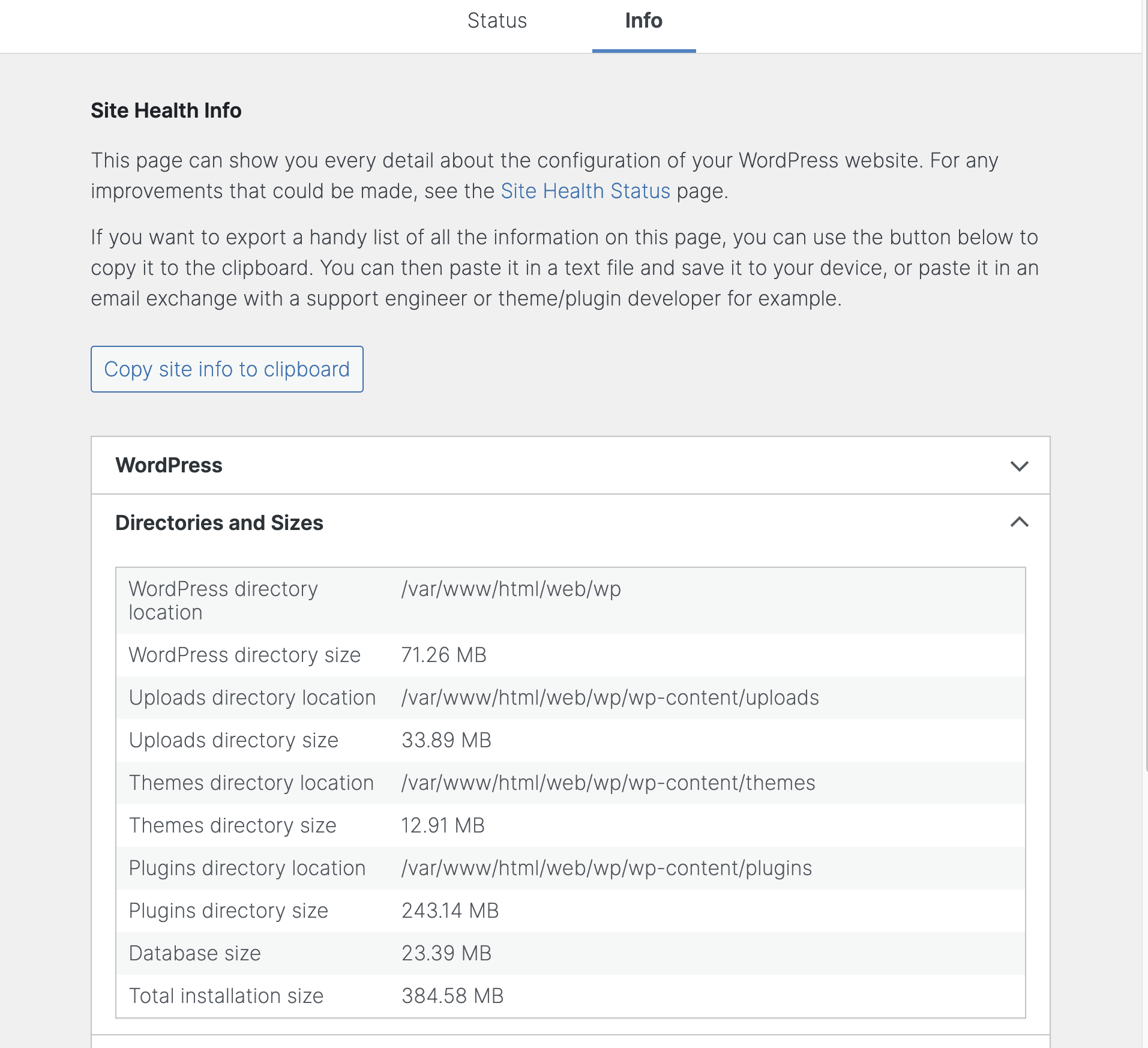
7. Now you can see storage usage of uploads, themes, plugins and total WordPress installation
WordPress directory location	/var/www/html/web/wp
WordPress directory size	71.26 MB
Uploads directory location	/var/www/html/web/wp/wp-content/uploads
Uploads directory size	33.89 MB
Themes directory location	/var/www/html/web/wp/wp-content/themes
Themes directory size	12.91 MB
Plugins directory location	/var/www/html/web/wp/wp-content/plugins
Plugins directory size	243.14 MB
Database size	23.39 MB
Total installation size	384.58 MB