If you have a site that needs to support multiple languages, the plugin Polylang is a great solution. Polylang is currently one of the most popular WordPress plugins available for easily creating content in multiple languages on a single site.
Because Shifter is a static site generator, there are a couple things that need to be taken into consideration when using Polylang with Shifter. This article will walk you through the steps to set up Polylang to work with Shifter.
1. Install Polylang
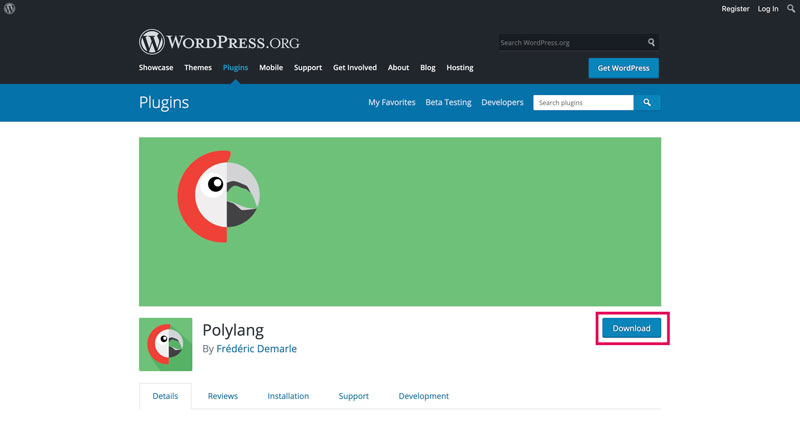
Polylang is available here or by searching for the plugin from the WordPress dashboard and may be installed like any other plugin. Once Polylang is installed, be sure to activate it.
2. check your Polylang Settings
Currently, Shifter only supports default settings for URLs in Polylang.
Check your Polylang URL setting at Languages > Settings > URL Modifications and ensure that these settings are selected during setup.
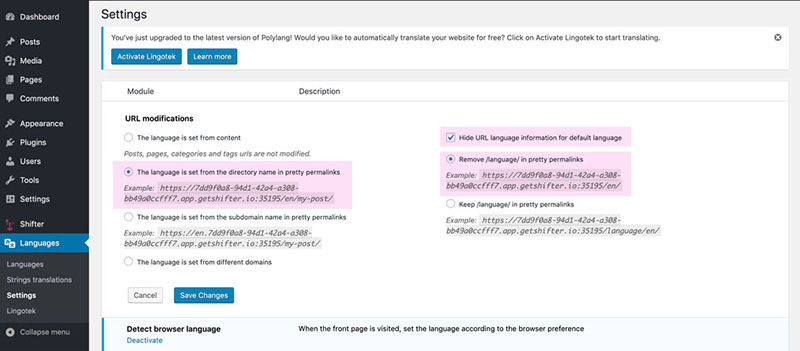
Note:
changing these settings is known to break Shifter’s staticization process. If your site artifact is failing to generate, please check these settings and ensure that they are set to default.
That’s it! To change any other settings, be sure to check out Polylang’s documentation.